The iOS 27 Solution: Apple needs a mobile-optimized variant of Stage Manager for large screens. Instead of rigid grid resizing, apps should live in elastic, floating viewports. When the virtual keyboard activates, the inactive app shouldn’t compress into an unreadable rectangle; it should elegantly shift into an active margin off-screen, remaining fully visible and interactive with a simple swipe.
With WWDC 2026 kicking off next week (June 8), the stakes for iOS 27 are massive. Since Apple shifted its naming convention to match the calendar year, iOS 27 has to do more than just refine the “Liquid Glass” aesthetics introduced last year. If rumors of an “iPad-like interface” for a foldable iPhone Ultra are true, Apple needs to steal the best ideas from Android’s playbook while giving them that classic iOS polish.
Here is how Apple could actually turn your wishlist into reality by borrowing—and refining—the best multitasking mechanics from Oppo, Samsung, and Honor.
Window Management: Moving Beyond the Rigid Split-Screen
Standard 50/50 split-screen is fine for looking at a map while checking a text, but it completely breaks down when you need to actually create content. As you pointed out, the moment the virtual keyboard slides up, your workspace is cut in half, burying your reference materials.


Oppo’s Canvas and Free-Flow windowing mechanics work because they treat the screen like a movable viewport rather than a fixed grid. Apple already has a foundation for this: Stage Manager on iPadOS and macOS.
How Apple could fix it in iOS 27: Instead of forcing two apps to squeeze onto a 7-inch or 8-inch foldable screen simultaneously, Apple should introduce a mobile-optimized version of Stage Manager. When you open a third app or pull up the keyboard, the inactive apps shouldn’t crush down into illegible squares; they should gracefully slide slightly off-screen into an interactive margin, ready to be flicked back into focus with a gesture.
A Persistent Sidebar for System-Wide AI Automation
A sidebar shouldn’t just be an app launcher; it needs to be an action zone. Samsung’s implementation with Galaxy AI proved that having a persistent utility drawer changes how you interact with on-screen content.
With Apple deeply invested in expanding its AI ecosystem this year, a global sidebar is the perfect vehicle for multimodal interactions.
Apple Inc.’s forthcoming foldable iPhone will include updates to the iOS operating system that enable iPad-like layouts and side-by-side apps for the first time, enhancing the device’s appeal for multitasking.
Apple is all set to host its yearly Worldwide Developers Conference next week, where it’s expected to announce the long-awaited Siri update. As excited as I am for the smart assistant to finally work like it was supposed to all these years, the iOS 27 sneak peek could potentially confirm Apple’s next big launch: the foldable iPhone Ultra.
I say this because iPhones have trailed behind their Android counterparts in true multitasking capabilities. Sure, they have a Dynamic Island that pops up crucial information with a press-and-hold without leaving the current app. But it isn’t the same as running multiple apps side by side or one app on top of another.
Such use cases are crucial for big-screen foldable phones — or even big slab phones, for that matter. This iOS limitation is one of the reasons I believe the 6.9-inch screen estate on Pro Max models isn’t utilized to its full potential. But this might change at next week’s WWDC.

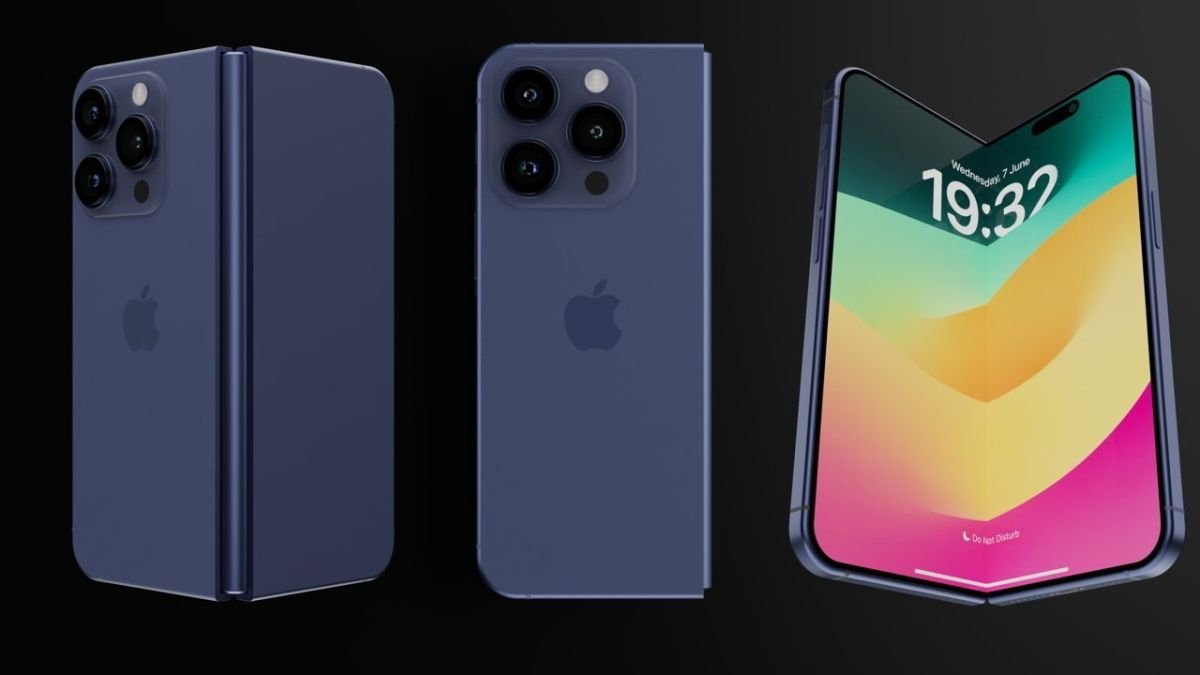
The product — Apple’s long-awaited entry into the category — will feature an interior foldable display roughly the size of an iPad mini, according to people with knowledge of the matter. There also will be an external screen that’s about the size of the display on a small iPhone.
However, iOS 27 needs more than just an iPad-like multitasking UI to take advantage of its bigger canvas. After using most of the foldable phones launched over the last five years, I have a few notes for Apple to maximize the potential of the big screen.
Multitasking with intuitive window management
The Oppo Find N6 is my favorite foldable phone. It has an anti-reflective screen for better outdoor legibility, a big battery for all-day endurance and above all, a software experience that makes it a multitasking powerhouse. It’s much more than having a simple split screen at your disposal. That’s not to say I don’t use split-screen multitasking, but running two apps side-by-side isn’t ideal when you have to type in one app (like Google Docs). Once the keyboard pops up, you get less space to type.
Oppo (and OnePlus) solved this issue in 2023, when you could run two apps side-by-side and a third one in full-screen at the bottom. It lets me reference search material from a web page on the left half of the screen and have a PDF running on the other half, while also running Google
The latest Oppo Find N6 takes it to the next level with its Free-Flow Window feature, which lets you run up to four apps simultaneously in resizable windows. Is four apps too much? Yes. But is it logical? Also yes. I thought it was overkill until I was at the airport and had to urgently submit my invoices. I opened Google Sheets (to create the invoice), Calculator (to calculate my monthly income for taxes), Keep (to take tax notes), and Chrome (to cross-check my published work).
I could do all of this on a slab phone by constantly flipping between each app. However, being able to run all these apps without exiting one and resizing them to your liking truly helps save time and effort. I’ve also used this feature to take notes while attending meetings and referencing shared PDFs simultaneously.
I’d love to have this feature on the iPhone Fold with an iPad-like taskbar at the bottom. It could make the iPhone Ultra like an iPad Mini when unfolded, but one that fits inside my pocket.
More iOS tweaks for intuitive use
The iOS 27 redesign could touch Siri, Search, Camera, Safari, Weather, Image Playground and more. For the sake of the iPhone Fold’s big screen, I hope it also adds two things to the system user interface.
First, I’d love to get a Samsung Galaxy Z Fold 7-like sidebar. It might not sound very useful in theory, but every foldable phone now has this feature, and for good reason. When AI Select was first rolled out on a Samsung phone, it could only be accessed through the sidebar. This Galaxy AI feature allowed me to highlight a portion of my current screen and suggest contextual actions.
For instance, I used it to add Calendar events from my emails. I could open an email invite, swipe the sidebar to access AI Select and highlight the event information to automatically have the date, time and address on my Calendar app. Unless you have Gemini enabled on your Gmail account, you’d need to manually add these details to create a Calendar event.
I also use the sidebar to access the Files app and other apps for pop-up (like Calculator), which I don’t have on my taskbar. While the Bloomberg report said a sidebar could make its way into certain apps, I’d love to have system-wide accessibility so I can use it on top of my on-screen content, no matter which app I’m using.

Second, I want more smartphone manufacturers to borrow Honor’s extended folders. It helps keep apps within one-tap access, while also letting me group them. It’s the best of both worlds — having a folder as well as a single app icon on the screen.
This feature was adopted by more Android skins last year, but most of them are limited to three apps. Honor allows me to add up to five apps in a vertical or horizontal extended folder, which groups my favorite apps without needing me to tap on a folder to access them. It’s a neat feature that I’ve missed immensely since I shifted back to my iPhone 17 Pro Max. The best I can do on an iPhone right now is move apps closer together or use a Smart Stack to group a few widgets.
These iOS 27 additions would make the upcoming Apple foldable easier to use and help maximize its big-screen utility. I hope we can get our first look at some of them next week at WWDC 26, alongside the other more exciting iOS 27 features. Either way, it’s going to be a packed week for Apple software.