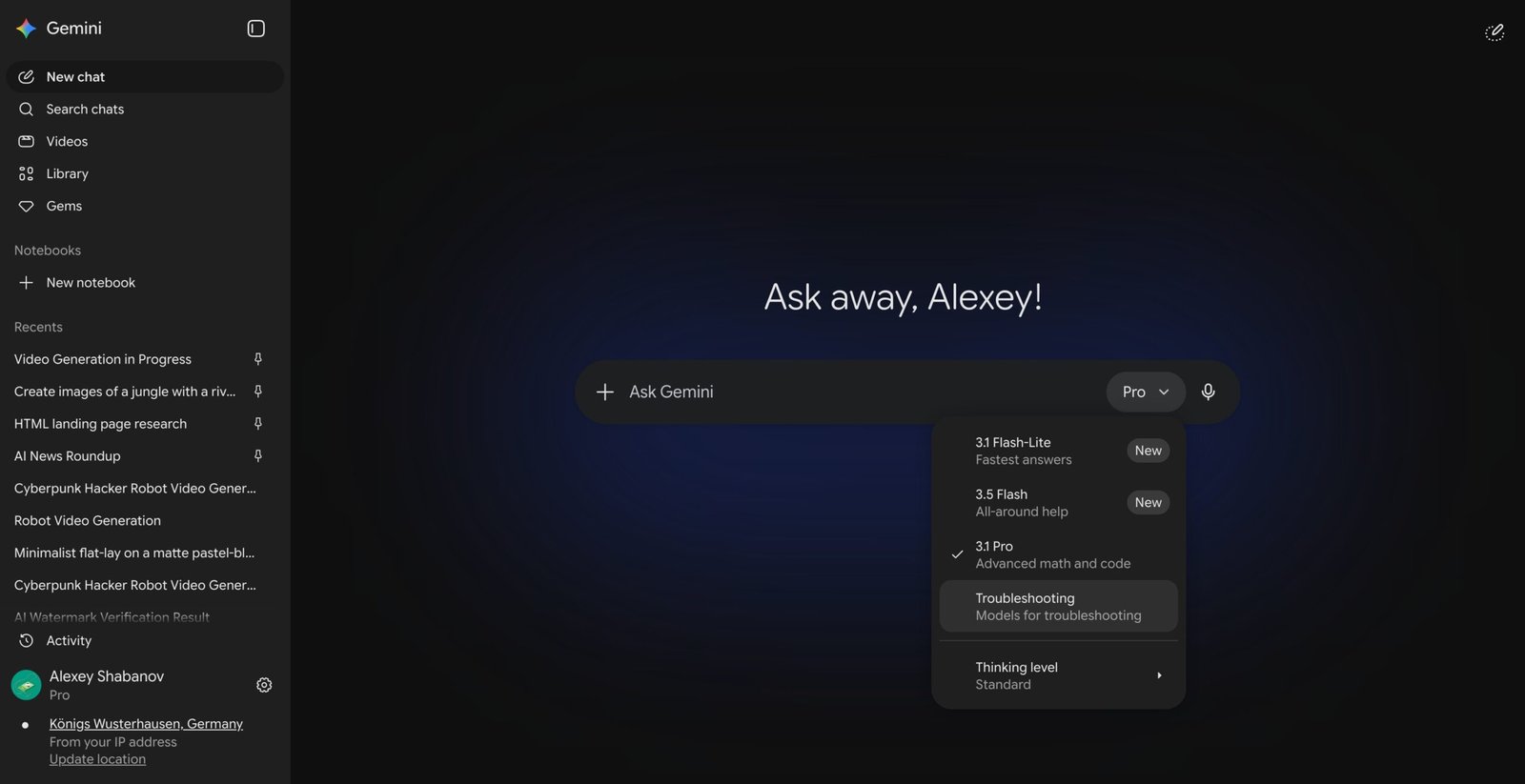
Gemini is reportedly testing a new “Troubleshooting mode” for some users—and it looks like a big shift in how AI assistants handle problems.
Instead of long, general answers, this mode guides you step-by-step through issues using structured prompts and even interactive widgets.
Example: if your car won’t start, it might walk you through symptoms like battery clicks vs. no sound to narrow down the cause quickly.
Early reports suggest it also runs in a more focused, less chatty style—prioritizing diagnosis and fixes over conversation. It’s not officially announced yet, so it could still be an experiment… but it points toward a more “hands-on” AI support experience.
Google may have just accidentally shown everyone where Gemini is headed next. According to TestingCatalog, a new Troubleshooting mode has quietly appeared inside the Gemini model picker menu for some users.
It sits alongside existing options like Gemini 3.5 Flash and 3.1 Pro, which are the standard AI models you already switch between in the app.
What does the Troubleshooting mode in Gemini actually do?
Rather than giving you a wall of text to read, the Troubleshooting mode guides you through a problem step by step using a mix of text responses and interactive widgets.


For example, if you tell Gemini your car will not start, it might identify common causes like a dead battery and then present you with symptom options to tap, such as “clicks or silent,” to help narrow down the issue faster. It is a more structured, guided experience than asking Gemini a question in regular chat mode.
How is this different from just asking Gemini normally?
That is a fair question, and the answer comes down to how the mode is tuned under the hood. Redditors who got early access suggest it runs on a lower temperature setting, which means it sticks closely to the problem at hand and skips the conversational filler.


Its responses are reportedly focused on diagnosis and practical fixes rather than general information. Google has not officially announced the feature, and it remains unclear whether this is a planned rollout or an internal test.
For now, the Troubleshoot feature appears to be an unintended release, meaning Google likely flipped it on by mistake, and could pull it back at any time. More details are expected in the coming weeks.
If you find Gemini’s new Troubleshooting mode exciting, there is a lot more happening with the assistant right now. Google just unveiled Gemini Spark, a 24/7 AI agent that handles your tasks in the background. On the flip side, free users may soon face stricter weekly usage caps.