

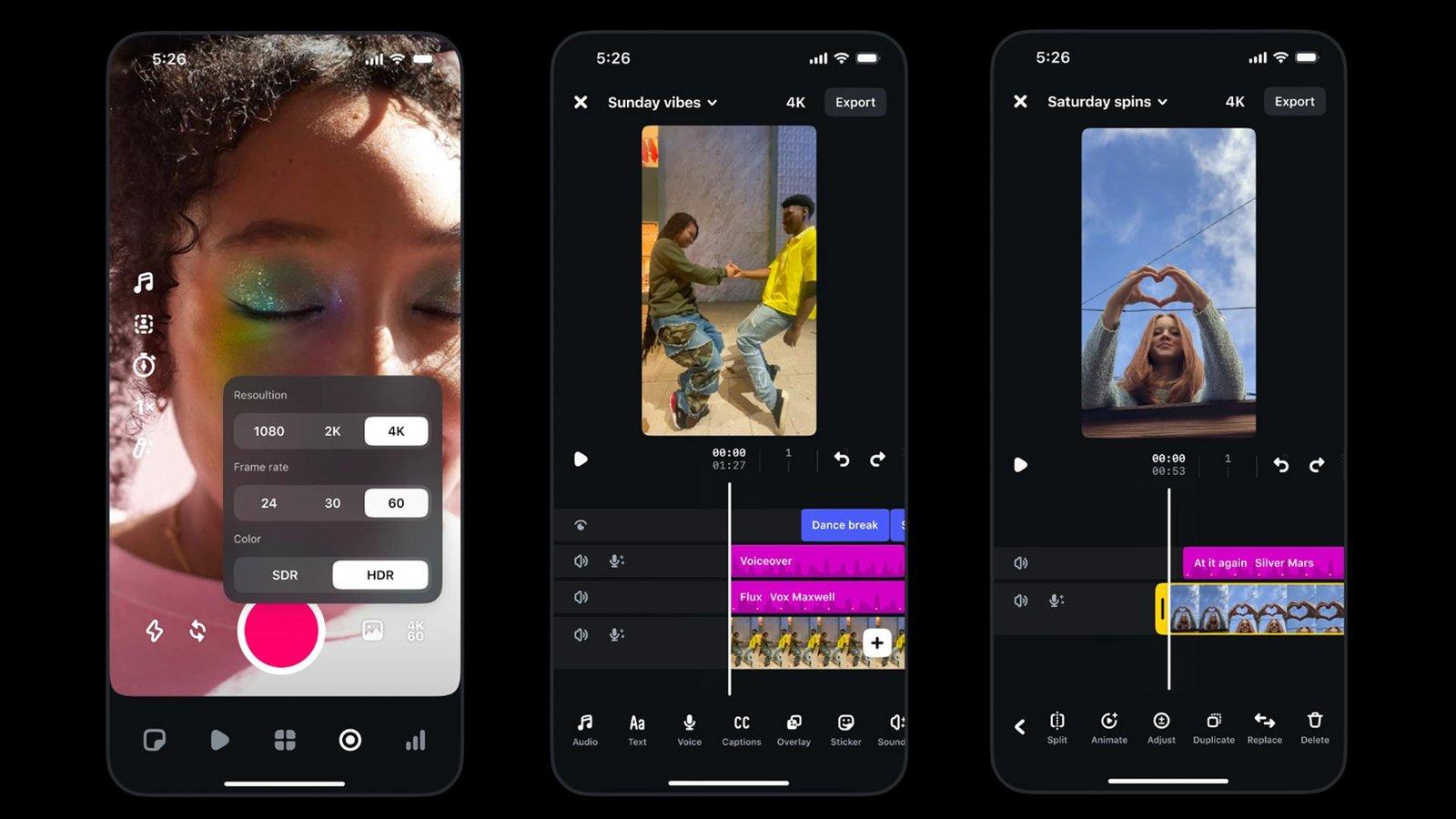
Meta is taking its mobile video editor to desktop, adding a larger workspace, advanced editing controls and direct Instagram publishing. The first release is limited to Apple Silicon Macs.
Instagram is expanding its Edits video editor beyond smartphones, launching a Mac desktop version designed for creators who need more room and precision when working on complex video projects.
The new application, released on November 5, brings a multi-track timeline, keyframe controls, detailed audio waveforms and advanced colour-grading tools to macOS.
It also supports exports of up to 4K resolution without a watermark and lets creators publish directly to Instagram from the editor. The move gives Meta a more direct position in desktop video editing, a market where ByteDance’s CapCut and established creative software already compete for creators’ attention.
From phone-first editing to a desktop workspace
Edits originally focused on mobile video creation. That format is convenient for quick clips and social posts, but becomes less practical as projects grow more complicated.
A larger desktop workspace changes how creators can arrange footage, audio, effects and transitions. Edits for Mac includes a full multi-track timeline, allowing users to work with several video and audio layers rather than relying on a phone-oriented editing interface.
Keyframes provide more control over transitions and movement, while visible audio waveforms help creators make cuts that align more precisely with music or spoken audio.
The application also adds colour wheels, curves and log-conversion tools for more detailed image adjustments. Users can import their own LUTs and font files, making it easier to maintain a consistent visual style across projects.
4K exports without a watermark
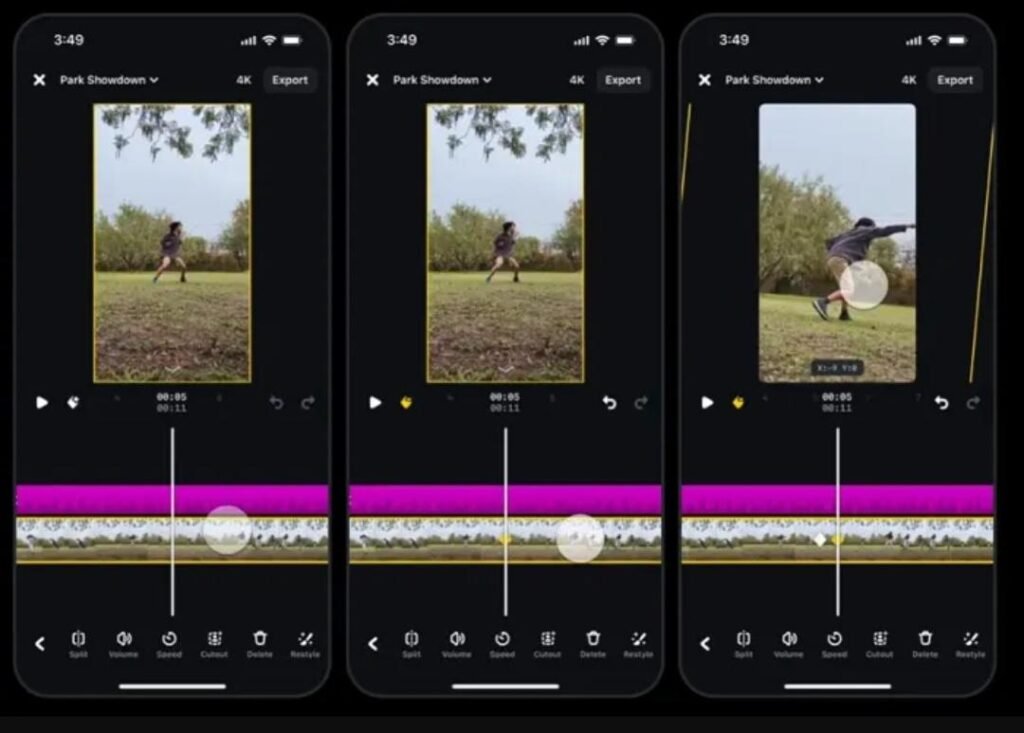
One of the most commercially significant parts of the release is its export policy. Edits for Mac supports video exports of up to 4K resolution without adding an Edits watermark, according to Instagram.
The editor supports both horizontal and vertical formats, allowing creators to prepare content for different platforms and screen types. Users can also access Instagram’s licensed and royalty-free audio libraries, sound and video effects, and automatic captions in multiple languages.
Direct publishing is another central feature. Creators can send finished videos to Instagram from the desktop application, including platform-specific details such as tags, location information and Trial Reels.
This reduces the need to export a project, move it to a phone and then complete the publishing process there.
A challenge to CapCut — but not a complete replacement yet
The launch places Edits in more direct competition with CapCut, which already offers desktop versions for Mac and Windows. Instagram’s advantage is its connection to the platform where many creators distribute their videos.
That integration could be attractive to people who mainly produce Reels and want a single workflow for editing and publishing. The free 4K export without a watermark also makes the application worth considering for creators who do not need a full professional editing suite.
However, the Mac release has important limitations. At launch, Edits for desktop is available only on macOS computers powered by Apple Silicon, starting with the M1 generation. There is no Windows version announced.
Cross-device project editing is also not fully ready. Instagram is working on allowing creators to move the same project between mobile and desktop, but the launch version does not yet provide that complete workflow. Some saved audio and text styles from mobile can carry over.
AI agents are part of the desktop workflow
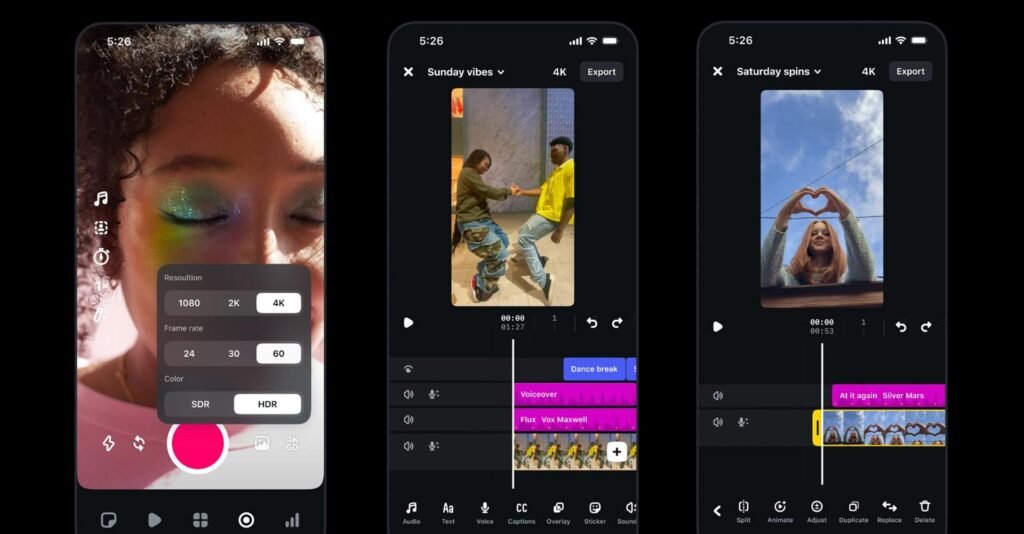
The Mac application also includes an option to enable Model Context Protocol, or MCP, allowing compatible AI agents to connect with editing workflows.
This is a notable addition because it points toward a future in which creators may use assistants to help organise footage or prepare rough edits before making the final creative decisions themselves.
The presence of MCP does not mean that every editing task is automated, nor does it make the application an autonomous video-production tool. It provides a connection point for compatible agent-based workflows.
What happens next?
Instagram says it plans to update the desktop application weekly and is continuing work on cross-platform editing between mobile and Mac.
The next milestones to watch are whether the company adds Windows support, completes project continuity between devices and expands the editing tools enough to attract creators who currently rely on dedicated desktop software.
For now, Edits for Mac is a free desktop option for Apple Silicon users who want a more capable workflow closely connected to Instagram.
Key Takeaways
- Instagram launched Edits for Mac on November 5, 2026.
- The desktop editor includes a multi-track timeline, keyframes and detailed audio waveforms.
- Users can export videos in up to 4K without an Edits watermark.
- The app supports horizontal and vertical formats and direct publishing to Instagram.
- Advanced colour tools, custom LUT and font imports, and automatic captions are included.
- The first desktop version requires a Mac with Apple Silicon, starting with M1; Windows is not supported at launch.
- Editing the same project seamlessly across mobile and desktop is still in development.
TheTechSpot Take
Edits for Mac is a strategically important expansion for Instagram because it moves the company closer to the tools creators use before they publish. Instead of competing only for attention inside the social network, Meta is now competing for a place in the production process itself.
The strongest argument for Edits is convenience: a free desktop editor, no watermark on 4K exports and direct publishing to Instagram create a straightforward workflow for Reels-focused creators.
But the limitations matter. Mac-only availability excludes a large part of the desktop market, and the missing cross-device project workflow weakens the promise of a seamless mobile-to-desktop experience.
Edits does not need to replace every professional video editor to succeed. If it becomes the easiest way to create polished Instagram content, it could become a meaningful part of the creator toolkit. The next test is whether Meta can keep improving the desktop experience without leaving creators on other platforms behind.


